
🆕 New in Version 3.4
Media trim, drag & drop images, a rebuilt CSS editor and more...
See what's new →🆕 New in Version 3.4
Media trim, drag & drop images, a rebuilt CSS editor and more...
See what's new →H2R Graphics can send its output as an NDI® source on your network. This means you can use your graphics in any NDI-compatible production software without needing a capture card or browser source. Just pick up the H2R Graphics source directly over your network.
ℹ️ The NDI output - currently in beta - is available on Windows and Apple Silicon macOS. It is not available on Intel macOS.
Combined with the existing background colour setting, you can use Alpha or Chroma keying to overlay your graphics in your production.
To start sending an NDI output from H2R Graphics:

Once the NDI output is enabled, you can confirm it is working by viewing it in any NDI-compatible application.
For example, open NDI Studio Monitor (included with NDI Tools) and select the H2R Graphics source from the list.
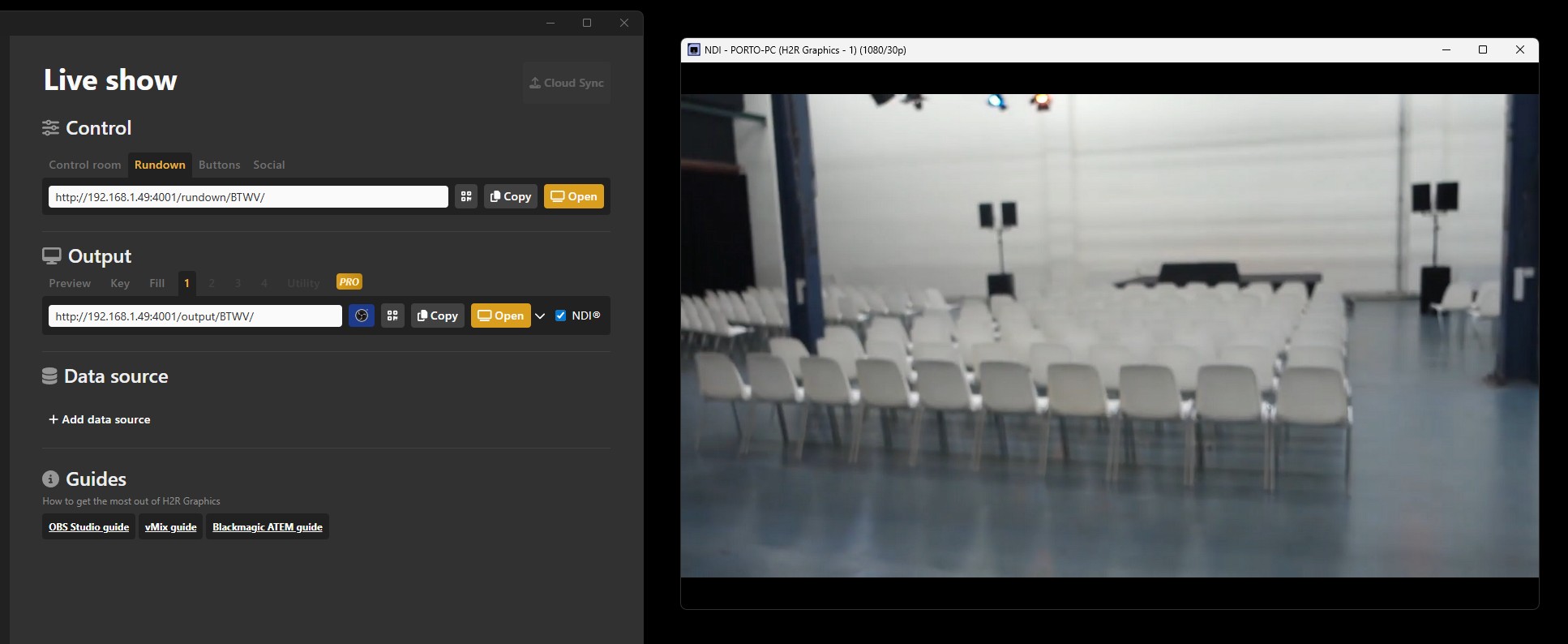
You can now use the H2R Graphics NDI source just like any other NDI source on your network. Add it to your production software such as OBS Studio, vMix, Wirecast, or any other NDI-compatible application.
Make sure NDI Tools are installed on your computer. NDI Tools provides the required NDI runtime components.
Try turning off desktop scaling in your Windows display settings. Desktop scaling can interfere with the NDI output resolution.
Restart H2R Graphics. If the issue persists, restart your computer to ensure the NDI services are running correctly.
NDI® is a registered trademark of Vizrt NDI AB.
Simplify your graphics workflow
Start using graphics on your live stream or video productions.
Get H2R Graphics product updates
New features, releases and tips, straight to your inbox.
No spam. Unsubscribe any time.