
🆕 New in Version 3.4
Media trim, drag & drop images, a rebuilt CSS editor and more...
See what's new →🆕 New in Version 3.4
Media trim, drag & drop images, a rebuilt CSS editor and more...
See what's new →By John Barker • 20 August 2026
Video and audio cues can now be trimmed inside H2R Graphics, so you no longer need to head back to an editor just to cut a few seconds off the top of a clip.
Open a video or audio cue and set an In and an Out point. Only the section between the two plays on air, and everything else about the cue behaves as you’d expect around it.

H2R Graphics shows you how long the trimmed cue plays for next to the full length of the original file, so you can see exactly what you’ve cut.
The trim is respected everywhere the cue plays. Looping loops the trimmed range rather than the whole file, and offair parking parks at your in point, so the clip is ready to go again from exactly the right frame.
It’s the quickest way to tidy up a clip that has a second of black at the start, a long tail at the end, or a stinger you only want part of.
Learn more about the Media tab on our documentation.
Adding an image just got a lot faster. Drag an image file from your computer and drop it straight onto the rundown, and H2R Graphics creates an Image graphic from it, ready to show.
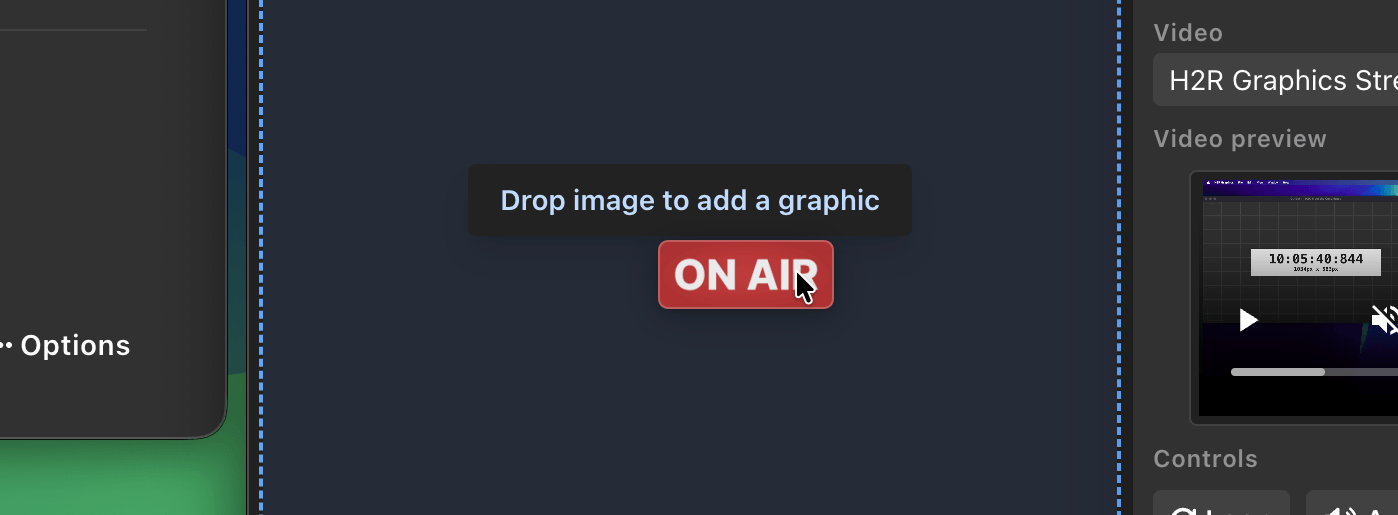
The drop area is outlined as you drag, so you can see exactly where the file will land.
There’s no need to import the file first and then add a graphic separately. Drop it in and it’s on your rundown.
Learn more about the Rundown on our documentation.
The Custom CSS editor in the Theme tab has been rebuilt from the ground up. Your CSS now has proper syntax highlighting, so selectors, properties, comments, and values are colour coded as you type and mistakes are far easier to spot.
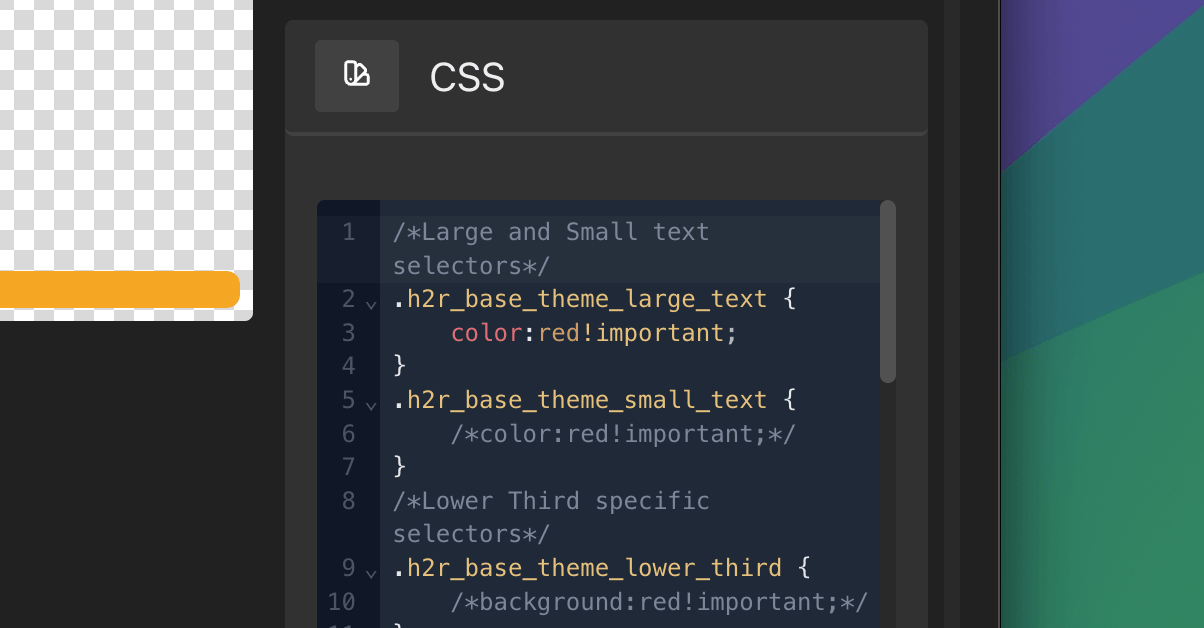
You also get line numbers and the ability to fold rules away, which makes a long stylesheet far easier to work through.
The editor shows a clear autosave status too, so you always know whether your latest change has been written to the project. No more wondering whether that tweak actually took.
Learn more about Custom CSS on our documentation.
Download v3.4 now and let us know what you think.
Simplify your graphics workflow
Start using graphics on your live stream or video productions.
Get H2R Graphics product updates
New features, releases and tips, straight to your inbox.
No spam. Unsubscribe any time.