
New: Telestrator graphic
The Telestrator lets you draw shapes, lines, and freehand annotations directly over your broadcast output in real time. It’s perfect for sports analysis, tactical breakdowns, educational presentations, or any scenario where you need to visually highlight what’s happening on screen.
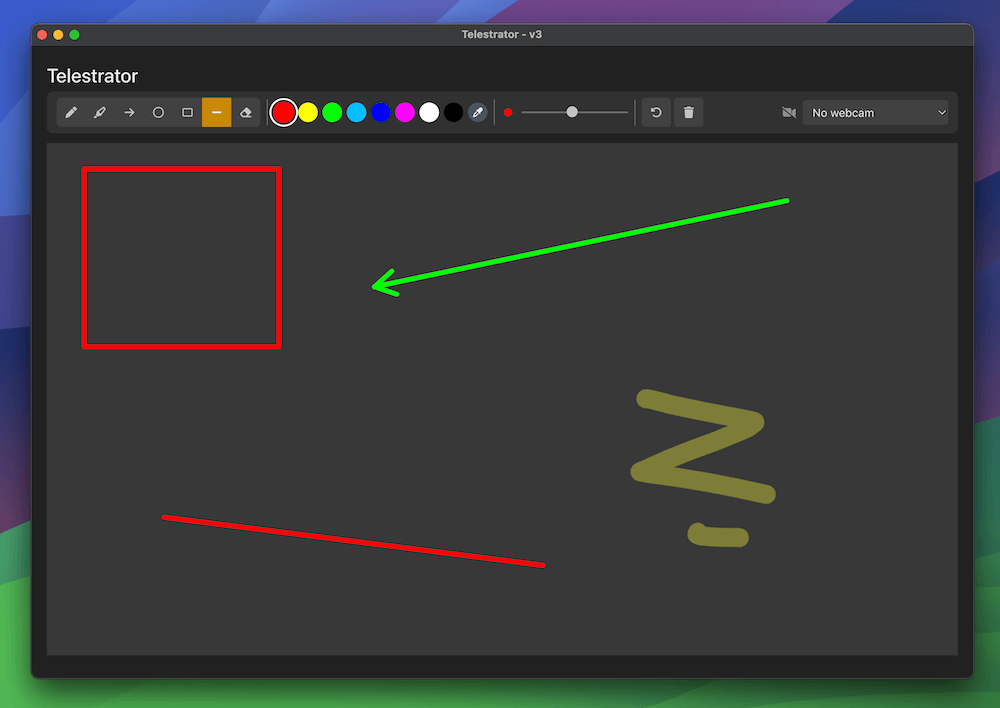
Add a Telestrator graphic to your project, click Open Telestrator and start drawing. You get freehand drawing, highlights, arrows, rectangles, circles, lines, and an eraser, all with customisable colours and stroke sizes.

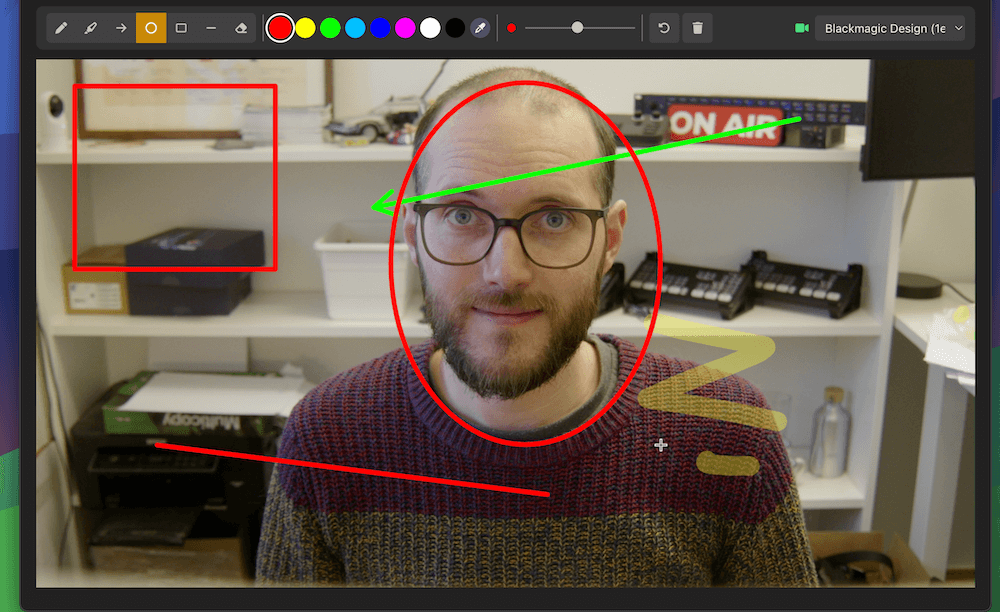
You can even use a webcam feed as a reference while you draw. Handy for drawing over a camera feed without needing a second monitor. The webcam is for your reference only and won’t appear in your broadcast output.
It also integrates with the H2R Companion module so you can switch tools, change colours and clear the canvas from your Stream Deck.
Learn more about the Telestrator on our documentation.
Telestrator video
New: NDI Output (Windows)
H2R Graphics can now send its output as an NDI source on your network. This means you can use your graphics in any NDI-compatible production software like OBS Studio, vMix, or Wirecast without needing a capture card or browser source. Just pick up the H2R Graphics source directly over your network.

Enable the NDI checkbox next to the output URL in the launcher and you’re good to go. You can confirm it’s working in any NDI-compatible application like NDI Studio Monitor.
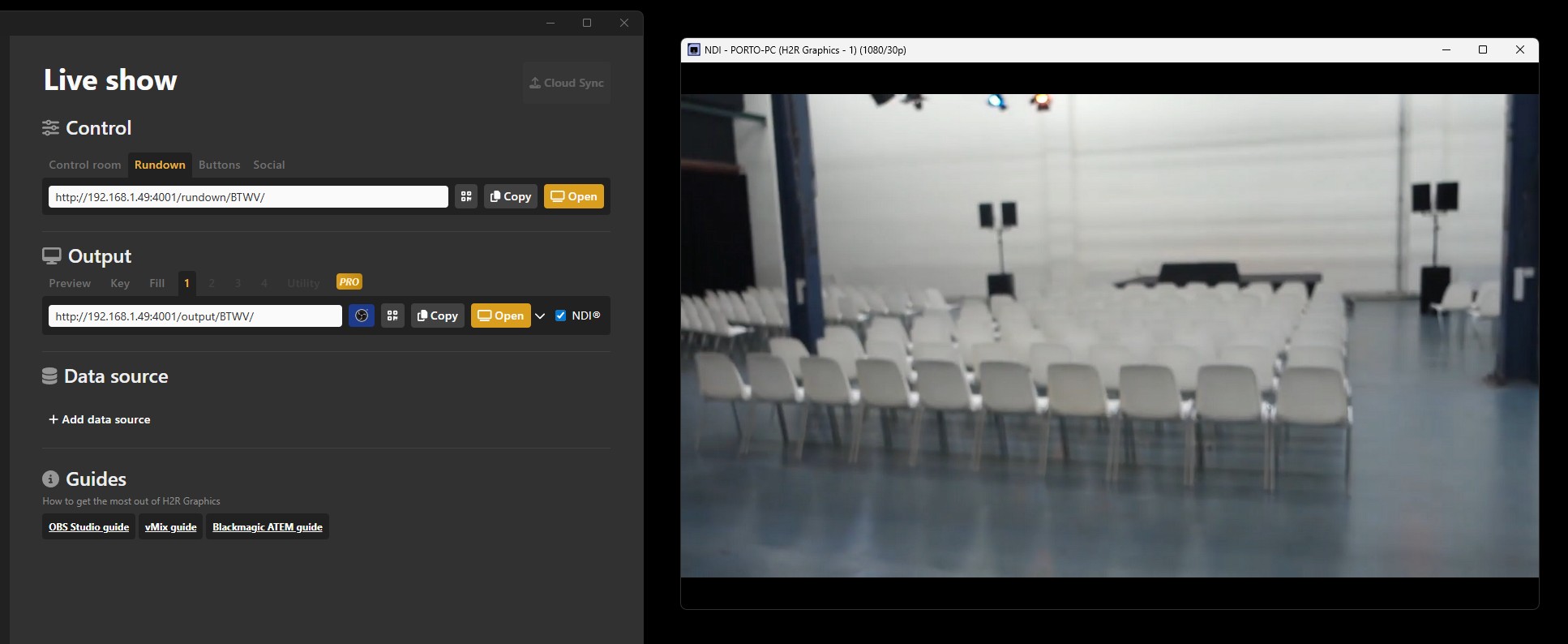
NDI output is currently in beta and only available on Windows.
Learn more about NDI output on our documentation.
Google Sheets Companion Module updates
The Companion module now supports refreshing your Google Sheet data and selecting a specific row, making it even easier to control your data-driven graphics from a Stream Deck.
Here’s what we fixed
- ⚒️ Clearer labeling when using ‘Open on…’ display option.
- ⚒️ Sidebar closes when done editing a graphic.
- ⚒️ Font importing now supports ‘.otf’ and ‘.woff’ files.
- ⚒️ Control Room: Preview/Output are fixed at a 16x9 ratio.
- ⚒️ Control Room: Outputs muted by default.
- ⚒️ Control Room: Hide fullscreen notice on outputs.
- ⚒️ Build: Font defaults to Arial.
- ⚒️ ‘Lower Third Animated’ graphics now properly update between variable text changes.
- ⚒️ Checklist theme settings working as expected.
- ⚒️ Already paused timers ignore new paused commands.